
Test Data & Login State
The two most common walls in UI automation: login and dirty data. TestDog solves the former with login configs, the latter with environment + system variables.
Project row actions: Env Vars → Login Configs (with the new-config form)
Login config (login state recording)
Strip "login" out of every case: record the login state once, reuse it in generation and replay.
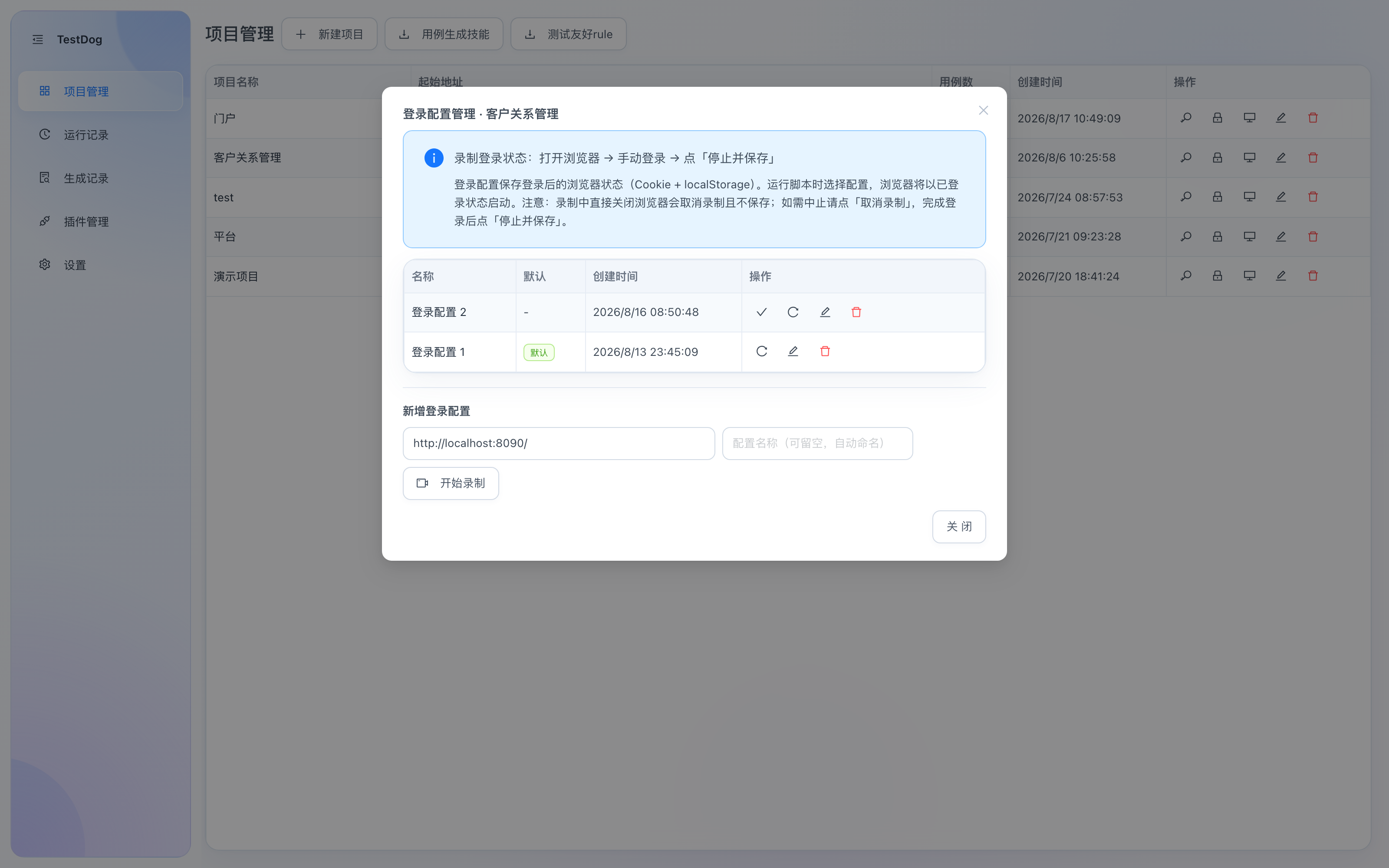
Login config manager: config list + new-config form (opened via the 🔒 row action)
Record a login state
- Click the 🔒 Login config row action on the project list to open the manager.
- In the "New login config" area, fill the start URL (the login page); the name can be left blank (auto-named).
- Click Start Recording — a browser opens; log in manually.
- Click Stop & Save to save the logged-in browser state (cookies + localStorage).
Note
Closing the browser directly during recording cancels and saves nothing; to abort click "Cancel Recording", and when finished log in then click "Stop & Save".
Using a login state
- Replay: pick it in the case detail's Login config dropdown — the browser starts already logged in, skipping the login steps.
- AI generation: pick it likewise, so flows behind the login page can be generated directly.
- Project default: set a project-level default via the case list's top-right dropdown.
- In the manager you can rename, set as default, re-record (after session expiry) and delete configs.
Login state validity
How long a login state stays valid depends on the system under test (session/cookie policies vary). Re-record before each test session to avoid a batch of false failures from an expired login state.
Environment variables
Project-level key-value pairs, referenced in scripts as {{name}} and replaced at runtime.
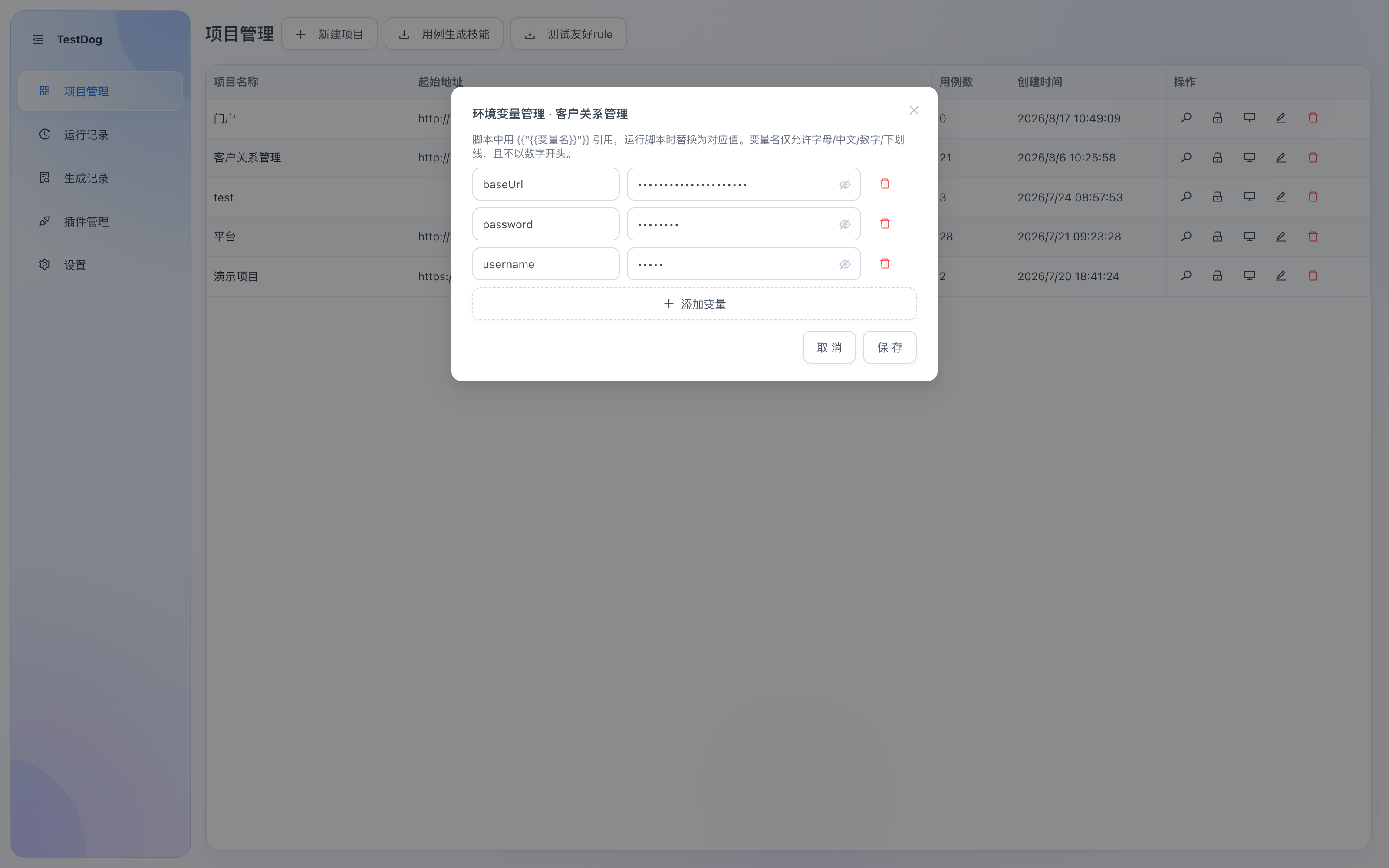
Env var manager (opened via the 🔑 row action)
- Define: click the 🔑 Env vars row action and maintain key-value pairs via "Add variable". Names allow letters/Chinese/digits/underscore, no leading digit.
- Reference: write
{{baseUrl}}or{{测试账号}}(Chinese names supported) in input values, URLs, assertion expectations, etc. - Replacement scope:
instruction,url,value,locator.value,locator.name,assertion.expected,assertion.jsonPath. - Undefined variables keep the literal
{{name}}and raise a warning in the run log.
Typical use: externalize environment-specific values (domains, accounts, passwords) — the same script runs against test/staging by swapping variable values.
System variables
Built-in random data sources, same {{...}} syntax as environment variables — no definition needed:
| Variable | Generates | Example |
|---|---|---|
{{systemTime}} | Current timestamp (13-digit ms) | test_{{systemTime}} → unique account |
{{randomNumber}} | Random digit string, 6 by default | SN-{{randomNumber:8}} |
{{randomChinese}} | Random common Chinese chars, 2 by default | user_{{randomChinese}} |
{{randomPhone}} | Random Chinese mobile number (11 digits) | phone fields |
{{randomEmail}} | Random email | email fields |
{{randomIdCard}} | Random 18-digit ID number (GB 11643 checksum) | ID fields |
:Nparameter:{{randomChinese:4}}for 4 chars,{{randomNumber:8}}for 8 digits.- Consistent within one run: the random phone filled by
filland the one asserted later are the same value — it won't change mid-run. - Name collision: environment variables win over system variables (explicit definitions override built-in randomness).
Main purpose: generate unique test data to avoid rerun collisions like "phone already registered".