
Generation Logs
Every AI generation is archived: step-level logs are fully traceable and token usage is booked on a differential basis.
Generation logs list → click to open the owning case
Log list
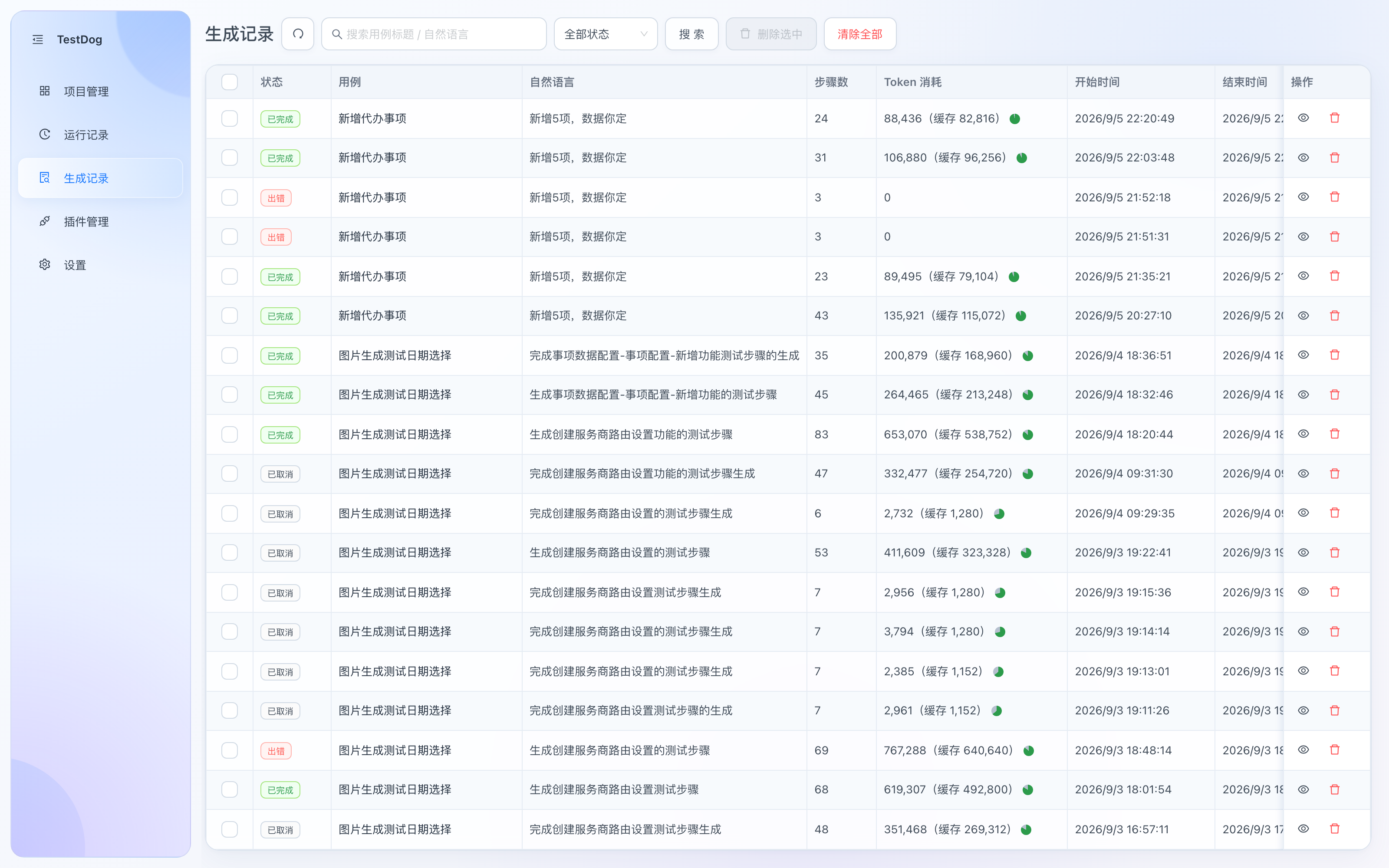
Generation logs: status, case, natural language, step count, token usage (cache hits shown)
| Column | Description |
|---|---|
| Status | Completed / Error / Cancelled |
| Case | The case this generation belongs to |
| Natural language | The description text used to start the generation |
| Step count | Steps executed in this generation |
| Token usage | Actual model usage of this generation (cache-hit share labeled; cached portions cost far less) |
| Start / End time | Time range of this generation |
Row actions:
| Button | Purpose |
|---|---|
| 👁 View | Opens the generation log detail drawer in place: full tool-call trail, visual observations, help decisions and per-step token details |
| 🗑 Delete | Delete this log (with confirmation) |
Clicking anywhere on the row navigates to the owning case's detail, located at the script version produced by that generation — handy for continuing or replaying right away.
Toolbar: search (case/description keywords), status filter, batch selection with Clear Selected / Clear All.
What's inside the log detail
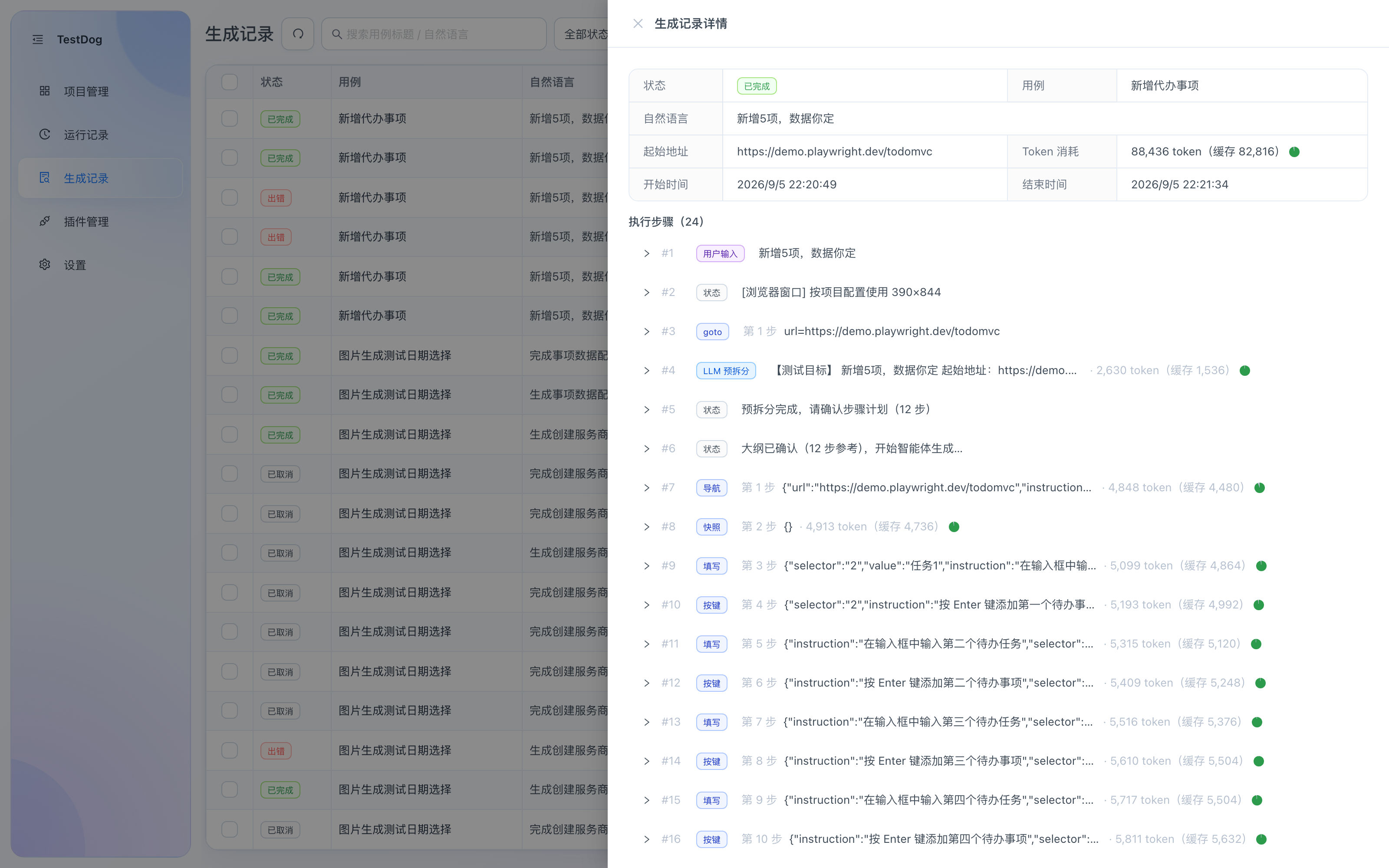
Generation log detail drawer: summary (status, token usage with cache hits) + execution steps (tool, params and tokens per step)
- Summary: status, natural language, start URL, token usage (cache hits labeled), time range.
- Execution steps: user input, LLM pre-split, navigate/snapshot/fill/press — each tool call with params and per-step token accounting.
- Visual observations: page screenshot observations when vision is enabled.
- Help decisions: the full decision trail of AI repair / rephrase / manual takeover / skip when stuck.
Auto cleanup
Expired logs are cleaned up at startup according to the generation-log retention period in Settings.