
Settings
All configuration lives under Settings, grouped in collapsible panels, and takes effect after clicking the save button below.
Settings: Language, Appearance, AI Gateway, Browser, Prompt, Data Retention
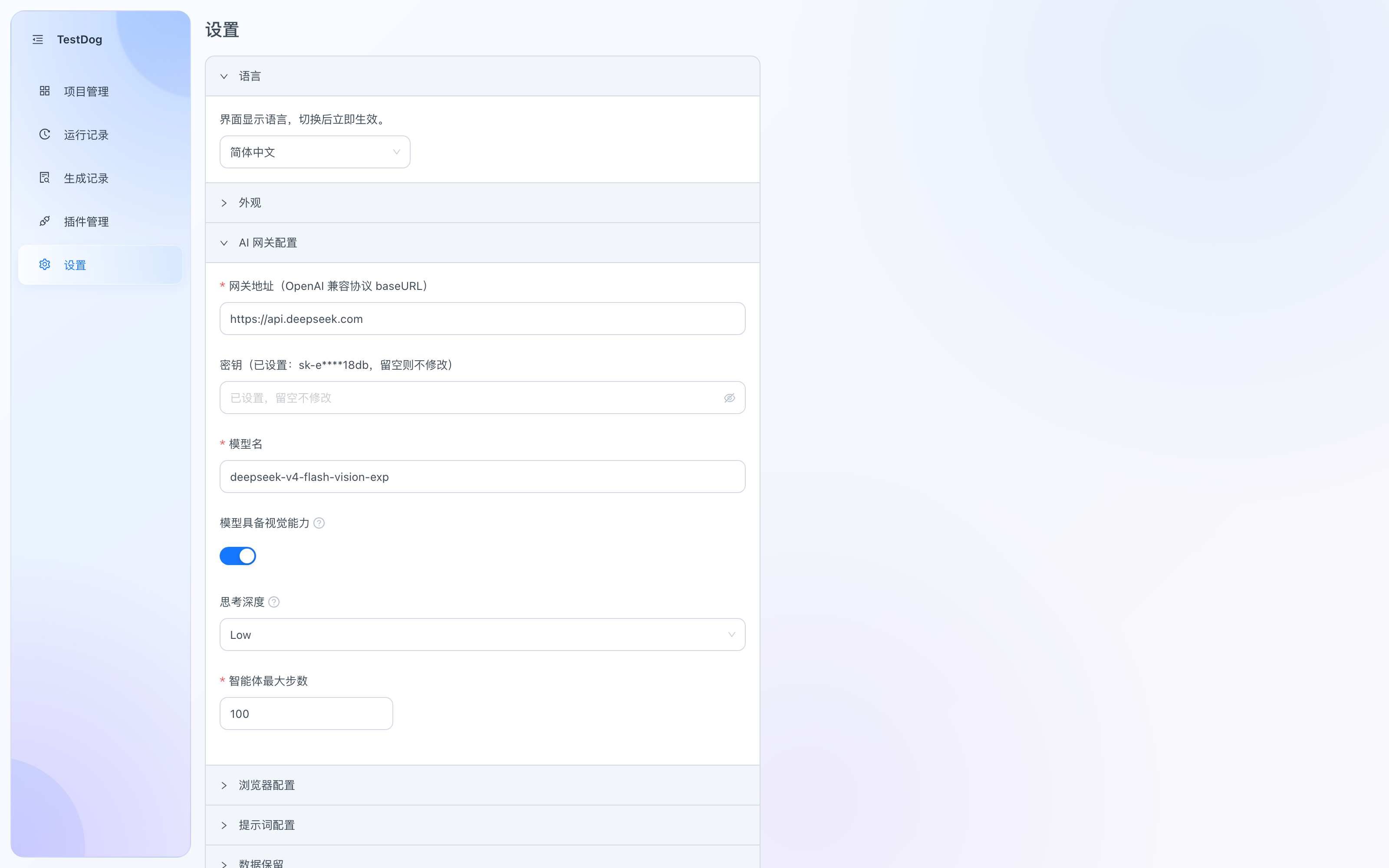
Settings: the AI Gateway panel (a set key is masked; leaving it blank keeps the current one)
Language
UI language (简体中文 / English), effective immediately after switching.
Appearance
Theme mode: Light / Dark / Follow System. Follow System adapts to the macOS light/dark appearance automatically.
AI gateway
AI generation and self-healing require an LLM, called through an OpenAI-compatible gateway:
| Setting | Description |
|---|---|
| Gateway URL | OpenAI-compatible baseURL |
| API key | Masked once set; leaving it blank keeps the current key |
| Model name | Default model; shared by generation, self-healing and AI repair |
| Model has vision | Sends image attachments and screenshots directly to the model and enables the see observation tool; when off, no images are sent |
| Reasoning depth | Controls how strongly the model reasons; keep off for non-reasoning models |
| Agent max steps | Upper bound of the generation loop |
Model choice
Prefer a model with vision — it works noticeably better: the AI can "look at" page screenshots to understand the layout, which markedly improves locating and operating complex pages and custom components; image attachments are also understood directly.
Browser
| Setting | Description |
|---|---|
| Browser path | Empty = auto-detect system Chrome; or point to a browser executable |
Viewport is fixed at 1920×1080; production uses system Chrome.
Prompt
| Setting | Description |
|---|---|
| Split prompt | The prompt used to pre-split step plans; restorable to default |
Data retention
| Setting | Description |
|---|---|
| Generation log retention | Expired generation logs are cleaned up at startup |
TIP
After changing gateway settings, run a simple case through generation first to confirm connectivity and model availability.