
.testcase Files
.testcase is TestDog's open case format: one file equals one test case (including its first script version, v1), stored as UTF-8 JSON. It powers import/export, team sharing and offline generation by coding agents.
Case detail: script versions & step table; Export produces a .testcase file
Import & export
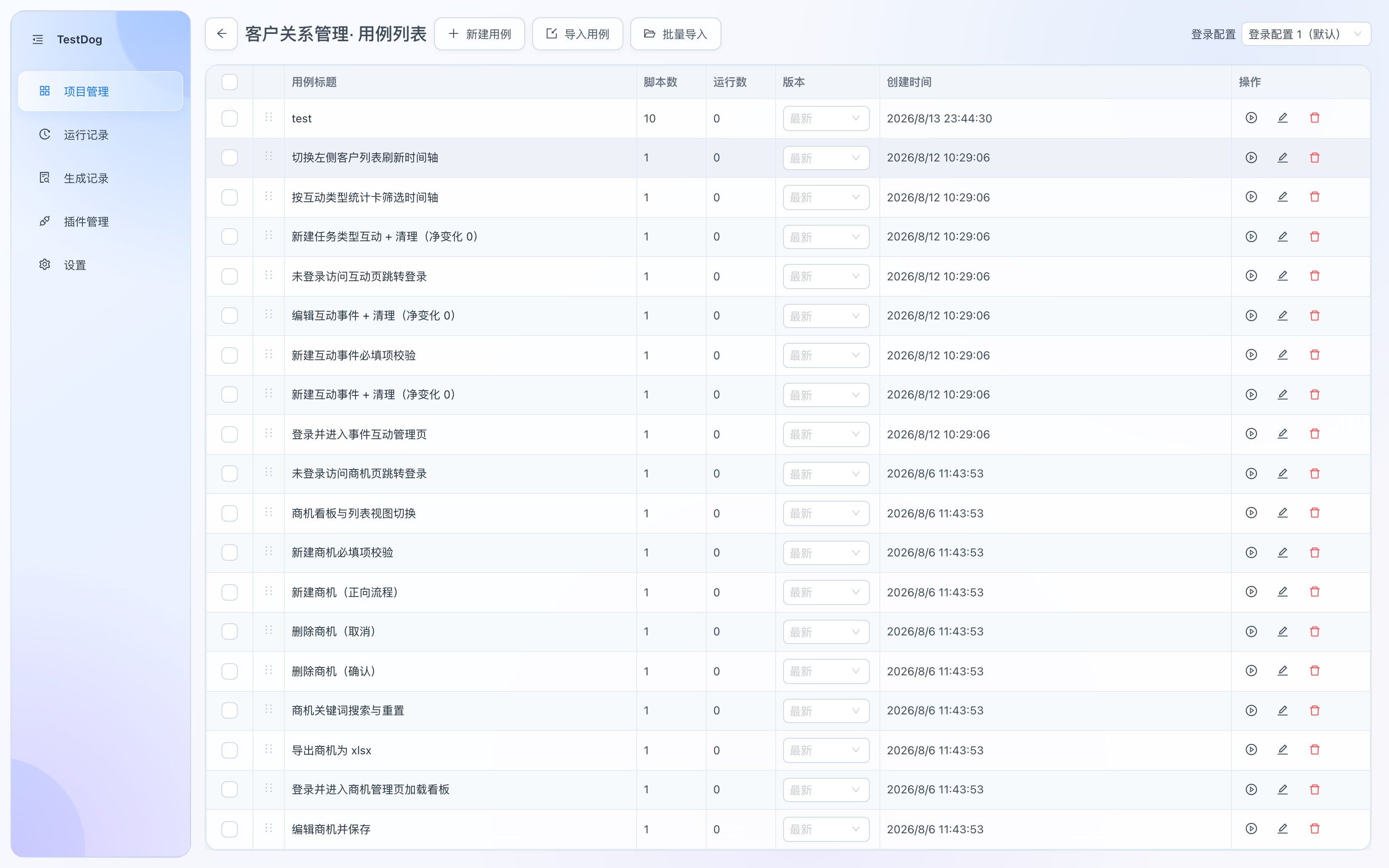
Case list: Import Case / Batch Import in the toolbar
- Export: the Export button on the case detail exports the current version steps as a
.testcasefile. - Import: Import Case (single) and Batch Import (pick multiple files or a whole folder) in the case list toolbar; files are validated on import with clear error messages.
- Imported cases are identical to manually created ones — AI generation, recording and replay all work.
File structure
{
  "format": "testcase",
  "version": 1,
  "title": "Case title (required)",
  "description": "Optional case description",
  "naturalLanguage": "Optional original natural-language response",
  "steps": [],
  "rawCode": ""
}
Step (TestStep) essentials
Key fields per step:
| Field | Notes |
|---|---|
instruction | Natural-language sub-instruction. Strongly recommended — self-healing relies on it to re-locate elements when selectors break |
action | goto / click / fill / press / check / select / upload / scroll / assert / wait etc. |
locator | {strategy, value, role?, name?, scope?}, prioritized by stability: testid → role → … |
assertion | Required for action=assert: visible / hidden / text / url / response_status / response_body / response_json / ws_sent / ws_received |
value | Input text, option value, wait milliseconds; supports {{var}} placeholders |
upload | File references and mode {fileIds, mode}; mode is input/chooser |
scroll | {target, mode, axis?, distance?} for page, container or element |
description | Human-facing step description |
Full field spec
For the complete enums, locator priority and execution semantics, see testcase-schema.md inside the skill package (download via "Testcase Skill" on the project list page).
Generating cases with coding agents
Two downloads on the project list page (see Projects):
- Testcase Skill: the
generate-testcaseskill (zip). Drop it into the target project's.claude/skills/and coding agents like Claude Code read the skill and schema, then produce.testcasefiles importable into TestDog — optionally smoke-tested with local Playwright to verify locators resolve. - Test-Friendly Rule: coding rules that add
data-testidmarkers and similar conventions to your codebase for stabler locators.
Recommended workflow
- Developers add testids as they code (or adopt the test-friendly rule).
- Coding agents batch-produce
.testcasefiles via the generate-testcase skill. - Import into TestDog via Batch Import, verify by replay, and promote into the regression suite.
Upload resources, scrolling and scope
A package without upload resources normally uses version: 1. An exported package with uploads uses version: 2 and includes files: each entry has id, name, mime, size, sha256 and base64 data from the original bytes. Import requires every upload reference to be packaged, verifies integrity and remaps IDs to the destination project. Limits: 20MB per file, 100MB total original bytes and 1000 resources. Copying script JSON with source-project IDs is insufficient.
upload requires a locator and {fileIds, mode}; up to 5 distinct files per action. scroll requires {target, mode, axis?, distance?}: page scrolling has no locator; container/element scrolling requires one. Only elements use intoView; other targets use by/toStart/toEnd. by requires a nonzero distance within ±10000 px; other modes omit distance, and intoView omits axis.
locator.scope stores one parent query; the target is resolved inside it. The step editor can add, edit, pick, collapse or remove the scope without replacing the target. Supported parent strategies: testid/role/label/placeholder/text/alt/title/css. Scope is not recursive and is not used by response/websocket queries or page scrolling.
The downloadable generate-testcase skill includes a complete v2 example and the upload/scroll/scope reference. See generation and editing.